Base Infrastructure
Deploy Base Infrastructure
In this section, we will proceed to deploy the base infrastructure components as follows. These components will serve as the foundational architecture to deploy the application and perform automation in the subsequent sections.
- 1 VPC with CIDR range
10.20.0.0/16 - Public & Private Subnets across 2 Availability Zones
- Internet Gateway
- NAT Gateway
- Route Tables
Once the infrastructure preparation is complete, the deployment architecture will be equivalent to the following diagram:
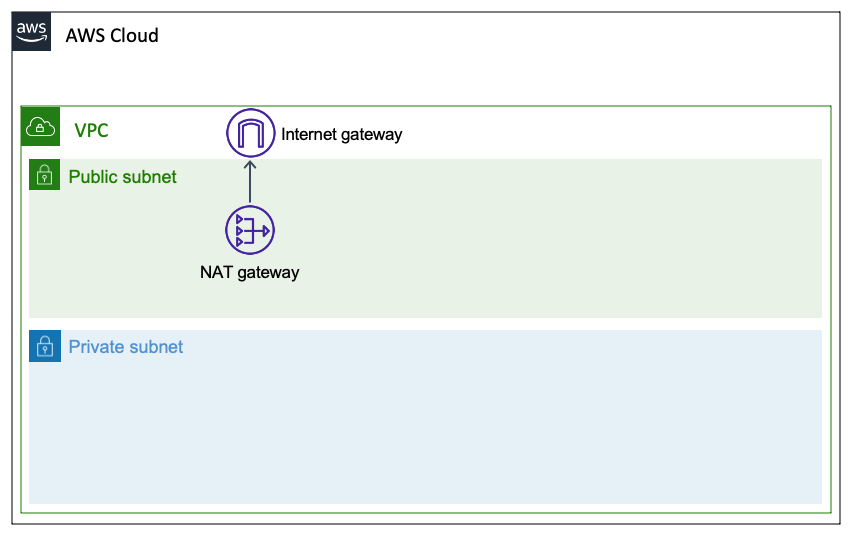
CloudFormation Stack
To proceed with infrastructure deployment, we will use the AWS CloudFormation service via the AWS Console or AWS CLI.
| Component | Value (Required) |
|---|---|
| Stack Name | pattern3-base |
| Template | pattern3-base.yml - download in the Template section below |
Please download the template here:
Please strictly use the attached template above, do not download from other sources.
AWS CLI
Here are the initialization steps via AWS CLI:
- Create CloudFormation Stack
aws cloudformation create-stack --stack-name pattern3-base --template-body file://pattern3-base.yml --region ap-southeast-2

Wait until the Stack completes creation. You can use
waitto avoid manually checking:aws cloudformation wait stack-create-complete --stack-name pattern3-base --region ap-southeast-2Verify that the CloudFormation Stack has been successfully created with the StackStatus as
CREATE_COMPLETE.aws cloudformation describe-stacks --stack-name pattern3-base --region ap-southeast-2 --query "Stacks[0].StackStatus" --output text
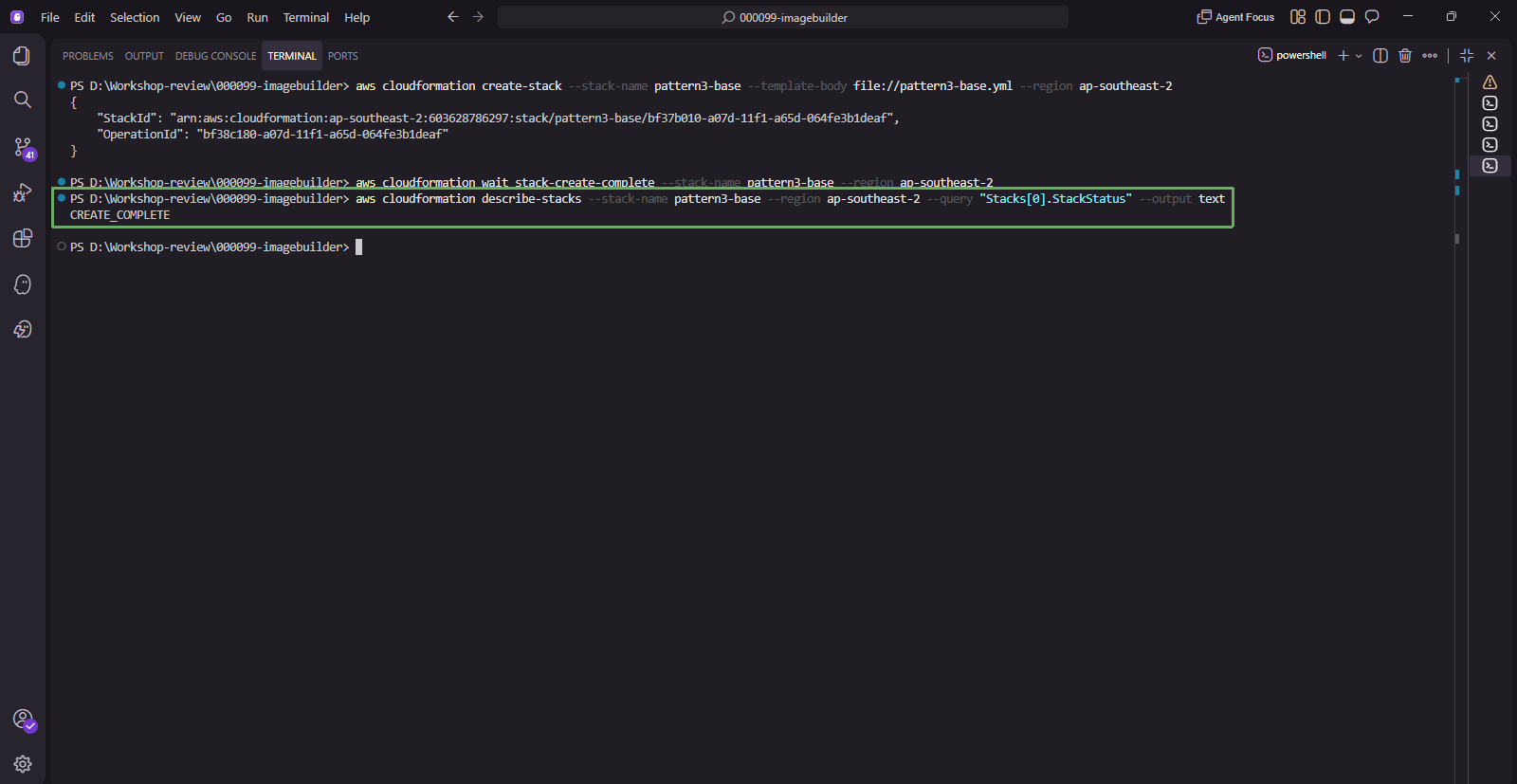
- Note down the values in Outputs.
aws cloudformation describe-stacks --stack-name pattern3-base --region ap-southeast-2 --query "Stacks[0].Outputs" --output table
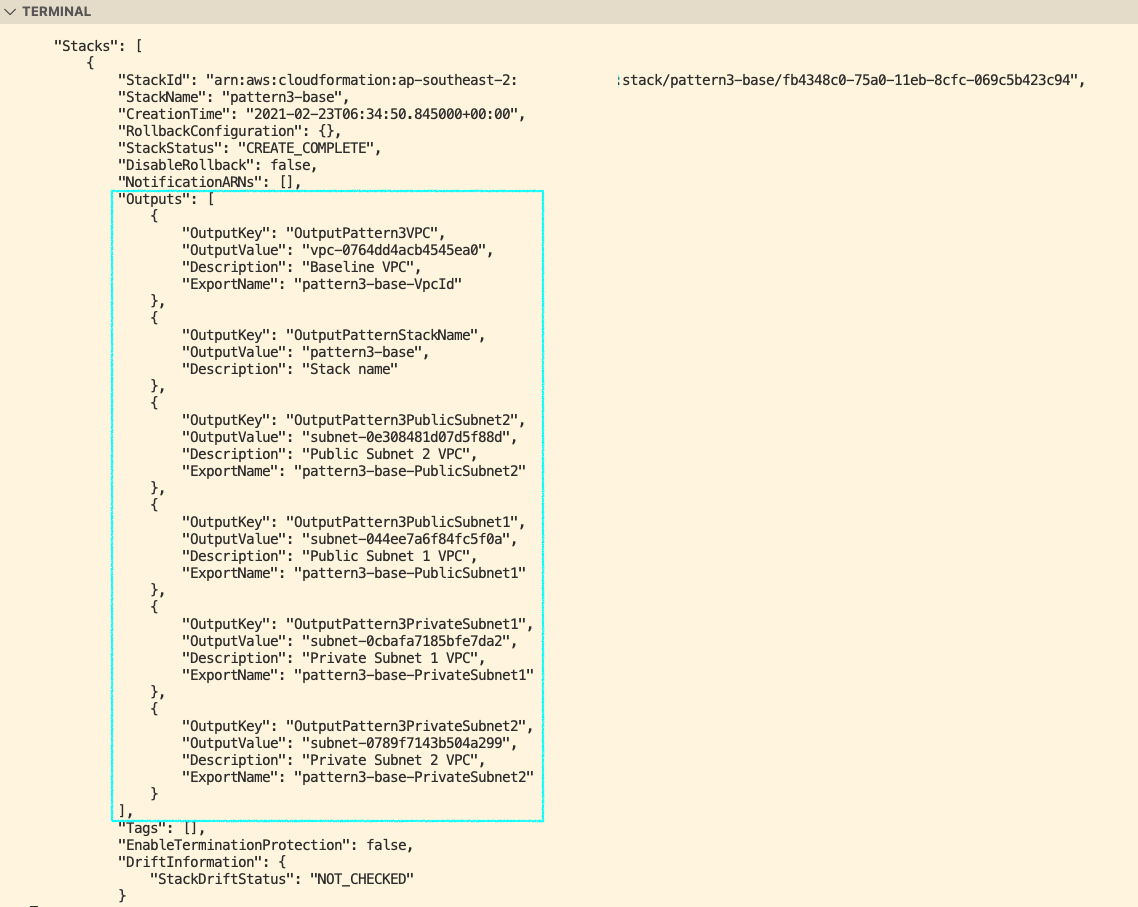
The Output values of this Stack are Exported, so the next two sections only need to reference the Stack name pattern3-base, no need to manually copy each VPC ID or Subnet ID.
NAT Gateway starts incurring charges as soon as it is created, even if there is no traffic passing through. Please complete the lab in one sitting and execute the Resource Cleanup section immediately afterwards.